The Call for Proposals for RailsConf 2015 is now open! And guess who's submitting?
Yeah, that was an easy one.
I've actually got two proposals in mind, but one is the kind that just grabs you and has you so excited that your hands shake as you literally dropped what you're doing to grab some paper and start writing furiously. It's a little out there but could be fun. (Or it could completely bomb, but that's the fun part!) And, yes, I know it's really brassy to even consider submitting a proposal to RAILSCONF (!!ZOMG) but 2015 will be my Year of the Brass Ones. :) I'll post more about it soon!
Wednesday, January 7, 2015

Monday, October 27, 2014
Rails Rumble is Over, Back to Code
Rails Rumble is officially over, so I can get back to working on my FML app. Unsurprisingly, I wasn't able to complete it in the ten hours I had to work on it after work each night during the competition. I've given myself until the end of October to finish at least a decent MVP.
Here's where I am right now: https://secret-inlet-5715.herokuapp.com/
I'll keep chugging away and I'll check in from time to time. Soon I will have some posts about the SeaGL conference last weekend, as well as my talk! (It was a first talk, it was a first talk, it was a first talk... ;) ).
Here's where I am right now: https://secret-inlet-5715.herokuapp.com/
I'll keep chugging away and I'll check in from time to time. Soon I will have some posts about the SeaGL conference last weekend, as well as my talk! (It was a first talk, it was a first talk, it was a first talk... ;) ).
Friday, October 17, 2014
And So It Begins
I've finished zizzer-zoofing for the night and it's finally time to start coding for my Rails Rumble submission. My app is the scratch-my-own itch list-compiler/downloader app that I've been thinking about for over a year now. (Aptly enough, it's called Fix My List, or FML for shortsies :D.)
Enough gabbing, time to code. Wish me luck!
Friday, October 10, 2014
A Year Ago Today (Part II)
I suppose I could write 365 of these kind of posts, but I realized today that I've hit something of a milestone:

With the exception of that awful spot during Hell Season for retail workers, I've got a year full of contributions on GitHub. I have some patches here and there, but those are actually from working off the master branch on different projects (or when I crumpled up my paper by deleting repos and started over.)
I don't have much to say right now, but back to work. I'll post some links to my Zombie Floss app once it's live.
With the exception of that awful spot during Hell Season for retail workers, I've got a year full of contributions on GitHub. I have some patches here and there, but those are actually from working off the master branch on different projects (or when I crumpled up my paper by deleting repos and started over.)
I don't have much to say right now, but back to work. I'll post some links to my Zombie Floss app once it's live.
Tuesday, September 30, 2014
So How Was Your Day, Dear?
This whole transportation SNAFU (literally) woke up the Mama Bear. Look out! pic.twitter.com/jg7p1j8xjO
— jaimes (@EduPunkN00b) September 30, 2014
.@LakeWashSchools: That's why no one complains. We know that the drivers are blamed for structural issues they can't control.
— jaimes (@EduPunkN00b) September 30, 2014
.@LakeWashSchools my daughter wait for a 2nd bus once it was dispatched. I'm glad she didn't do that and don't want to see a GREAT driver ..
— jaimes (@EduPunkN00b) September 30, 2014
Monday, September 29, 2014
Just Ship It
Last week was a bit of a whirlwind. I slammed through most of my backlog in Skillcrush's Web Developer Blueprint course and published two (imperfect) sites:

The url for this site is about to be swiped for my Rails Rumble submission. I'm open to ideas for a better (more fitting) name for this brainstorming site. Also on the to-do list is to get set up with asset hosting on AWS so that the images uploaded along with the ideas will be saved! (Image storage on Heroku itself is strictly ephemeral!)
and...

The url for this site is about to be swiped for my Rails Rumble submission. I'm open to ideas for a better (more fitting) name for this brainstorming site. Also on the to-do list is to get set up with asset hosting on AWS so that the images uploaded along with the ideas will be saved! (Image storage on Heroku itself is strictly ephemeral!)
and...
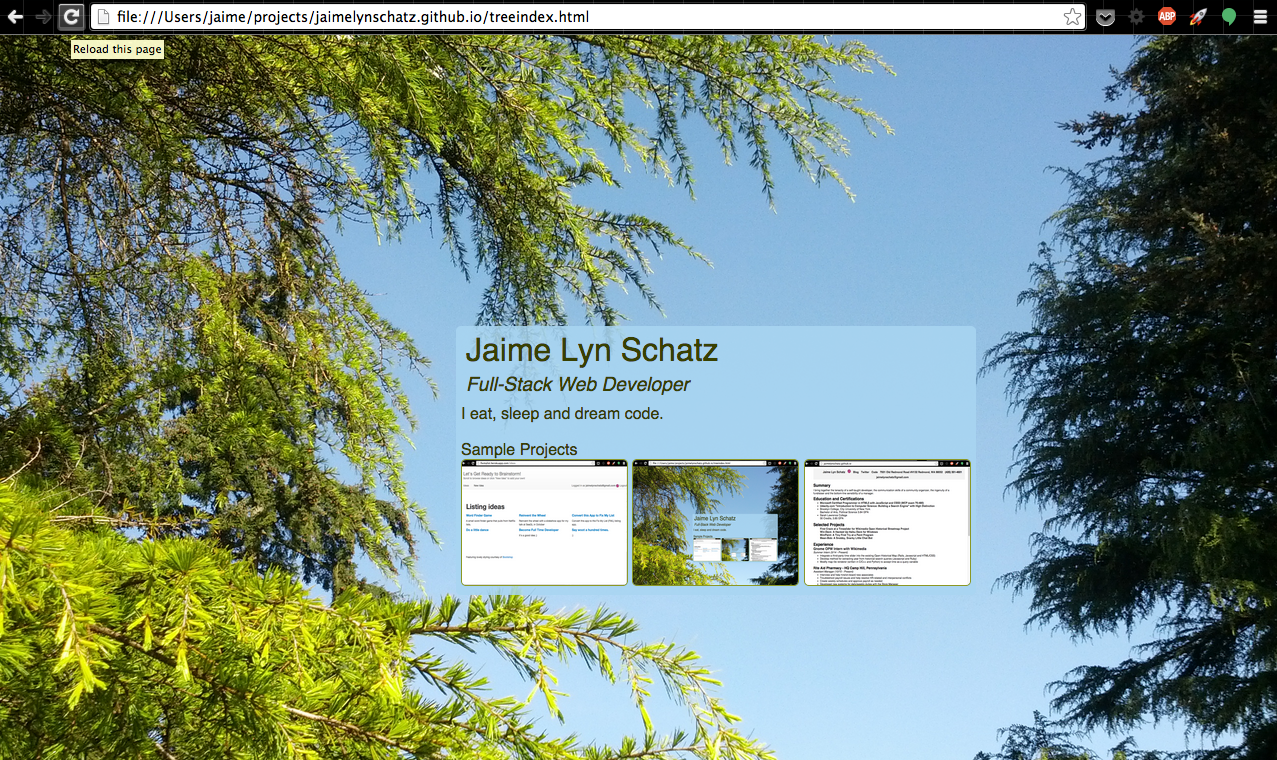
This resume-splash page was for an assignment on Skillcrush. I've got two main to-dos for this site. First, optimize the image better so that the background isn't so slow to render. Second, it looks terrible on a mobile screen in portrait mode.
I need to figure out how to tell the css to drop into a different mode when in a really small screen.
I'd like to continue my streak and ship another page this week. Not sure what yet (likely a starter page for my SeaGL talk this month.) Finally, I'm throwing in my hat for Rails Rumble - registration starts on October 6th and I'm super stoked to be a part of it this year.
Oh, yeah, and I've got my "day" job at [company name retracted due to uber-restrictive social media policy].
It's going to be a great week!
Edited to add:
I completely forgot! I also (finally!) got around to signing up at exercism.io I've just started but it's so much fun! :D
Wednesday, September 17, 2014
What a Summer it Has Been
This is a difficult post to write. I started this summer excited by my new OPW internship and anxious to get started. It began with a lengthy project map
The following enhancements are needed to allow storing and rendering of time-based information in OpenHistoricalMap.

1. Enhance the iD and The_Rails_Port so that a javascript time/date slider can be added to control the time period that is of interest.

2. Enhance the ID and The_Rails_Port so that meta-data hooks are added to the code that allow for custom deployments of both software. The intent is to support their use as dedicated user interfaces to certain applications (such as medieval walking path editing) while still using a generic data source.

3. Modify the Mapnik tile renderer to handle Key:start_date and Key:end_date.

http://wiki.openstreetmap.org/wiki/ID
and an ambitious proto-developer.
The goal of the project was/is, essentially, to put a time slider on a fork of the Open Street Map to enable users to search for historical maps that have been loaded into the system.
My original OPW proposal was ambitious and reveled my inexperience. As I worked through the first part of the project and then moved on to tackle the tile renderer, I began to understand the reactions of more experienced developers who I shared my work with. Still, I strove on (see logs).
In the end, I suceeded in integrating a timeslider into the OHM and in propagating a time variable throughout the tile renderer. I've also learned a great deal about how real-live applications look and I've picked up some C, as well.
I plan to continue contributing to the project. As my internship time ended, I was still working on building a working test server. I've had some hardware issues but expect to be able to begin working (part-time - I need paid work, too! :) ) soon. After the initial time variable is proven to work, I will then be able to introduce the actual keys to the render.
I would really like to see my code make it into the wild and it's a great mission. I've learned a lot about how real-life Rails applications work (look, Ma, there's business logic in the JavaScript!). I've learned even more about how far off paper time estimates can be from reality. ;)
My original OPW proposal was ambitious and reveled my inexperience. As I worked through the first part of the project and then moved on to tackle the tile renderer, I began to understand the reactions of more experienced developers who I shared my work with. Still, I strove on (see logs).
In the end, I suceeded in integrating a timeslider into the OHM and in propagating a time variable throughout the tile renderer. I've also learned a great deal about how real-live applications look and I've picked up some C, as well.
I plan to continue contributing to the project. As my internship time ended, I was still working on building a working test server. I've had some hardware issues but expect to be able to begin working (part-time - I need paid work, too! :) ) soon. After the initial time variable is proven to work, I will then be able to introduce the actual keys to the render.
I would really like to see my code make it into the wild and it's a great mission. I've learned a lot about how real-life Rails applications work (look, Ma, there's business logic in the JavaScript!). I've learned even more about how far off paper time estimates can be from reality. ;)
Monday, August 25, 2014
Postgres and Postgis are a PAIN
The following is from a blog post from 2009. Installing PostgreSQL and PostGIS is still (still!!) incredibly painful. I'm re-blogging this here (I hope the author forgives me!) I'm terrified of losing these instructions. I know I'll need them again:
_______________________________________________________________
Install PostgreSQL 8.4 and PostGIS 1.4.0 in Ubuntu 9.0.4
HTTP://BIODIVERTIDO.BLOGSPOT.COM/2009/10/INSTALL-POSTGRESQL-84-AND-POSTGIS-140.HTML
WEDNESDAY, OCTOBER 21, 2009
Install PostgreSQL 8.4 and PostGIS 1.4.0 in Ubuntu 9.0.4
I am a big fan of the new PostGIS 1.4.0 (and also of Paul Ramsey) . I always have troubles installing PostGIS in ubuntu so I thought that this time I was gonna document it and blog it here. So this is just a log of the steps required to install it on an EC2 instance with Ubuntu 9.04. I hope it can be useful for someone else.
Just for the record. The EC2 instance I used was ami-ccf615 from http://alestic.com .
Once login (totally fresh).
Good Luck!
Just for the record. The EC2 instance I used was ami-ccf615 from http://alestic.com .
Once login (totally fresh).
apt-get update
apt-get install vim
#The sources are still not available on the regular package servers... edit the sources
vim /etc/apt/sources.list
  add deb http://ppa.launchpad.net/pitti/postgresql/ubuntu jaunty main
          deb-src http://ppa.launchpad.net/pitti/postgresql/ubuntu jaunty main

sudo apt-key adv --keyserver keyserver.ubuntu.com --recv-keys 8683D8A2
sudo apt-get update
sudo apt-get install postgresql-8.4
#This changes the port from 5433 to 5432
sudo sed -i.bak -e 's/port = 5433/port = 5432/' /etc/postgresql/8.4/main/postgresql.conf

sudo /etc/init.d/postgresql-8.4 stop
sudo /etc/init.d/postgresql-8.4 start
apt-get install postgresql-server-dev-8.4 libpq-dev
apt-get install libgeos-dev
wget http://postgis.refractions.net/download/postgis-1.4.0.tar.gz
apt-get install proj
tar xvfz postgis-1.4.0.tar.gz
cd postgis-1.4.0
./configure
make
make install
sudo su postgres
#change the postgres password to "atlas" so that you can later login
psql -c"ALTER user postgres WITH PASSWORD 'atlas'"

createdb geodb    (with password atlas)
createlang -dgeodb plpgsql
psql -dgeodb -f /usr/share/postgresql/8.4/contrib/postgis.sql
psql -dgeodb -f /usr/share/postgresql/8.4/contrib/spatial_ref_sys.sql
psql -dgeodb -c"select postgis_lib_version();"
#This should return 1.4.0
exit
Good Luck!
Sunday, August 17, 2014
What's the Magic Vagrant Word?
The magic Vagrant command is:
sudo /etc/init.d/vboxdrv setup
Get comfy with that command. You keep needing it.
sudo /etc/init.d/vboxdrv setup
Get comfy with that command. You keep needing it.
Saturday, August 16, 2014
Leaping into the World of APIs and Data
I am taking a flying leap and creating an entry for GitHub's 3rd Annual Data Challenge. My topic: The Six Degrees of Baconjs. Much like the movie-buff parlor game, the premise is simple: in six degrees or fewer, you can connect every user on GitHub (users who have at least one contributions/contributor outside of their own personal repos) with any other.
I have never attempted anything like this before. From the 10,000 feet view, given an input of a user, I will need to query for a list of all contributors to the Baconjs project and work backwards through each of their other repos to find the next degree's list of users. It's going to be recursive and strange but lots of fun! I'm starting my studies of the first step with the GitHub API docs and the terrific tutorials on Codecademy. They even have one specifically on the GitHub API!
Wish me luck! I'm going to need it!
Monday, August 11, 2014
Time Flies Like an Arrow and Fruit Flies Like a Banana
That's my new little motivational mantra. Someday, I will help create a computer that understands that sentence.
Back in the present, though, here's a run-down of what I've been up to in the Open Historical Map project:
Back in the present, though, here's a run-down of what I've been up to in the Open Historical Map project:
Week 11: July 28 - August 3[edit | edit source]
- We're jumping into the rendering now. Most of the work will be in ohm_mod_tile, especially renderd and the master daemon program.
- I posted the IRC log here (tried to strip out the filler /leave, /join, etc)
- RENDERING
- This file is proving vital but elusive: home/tim/ohm-carto/ohm-carto/mapnik 2008.xml (UPDATE: I have the file now, but...)
- The bulk of the renderer is written in C and C++ (with a lot of Bash and some inline SQL for good measure.)
- I am v e r y s l o w l y and carefully modifying the renderer to accept the {t} parameter. It's been many years since I've even looked at C code (and that was in an introductory C class.)
- I'm relying heavily upon the 'git grep' command (tracking here).
- I'm logging my progress so I can keep track of what I've changed and where: git diff log.
- I don't want to lose this reference (is this Momento?):
- on line 245 in mod_tile.c, ~~bzero~~ recv() (bzero is used to zero out the bits at &resp to prepare it for the map tiles) and sends &resp to get the tiles from the database over a websocket
- I am really deep in the weeds here in C. I am going to take a little time to read up more in the man pages and go through some more of the tutorial over on Learn Code the Hard Way
Week 12: Aug 4 - Aug 10[edit | edit source]
- Made some changes to my changes (meta!) to the renderd.py byte packing/unpacking directive.
- IRC log on discussion here
- updated diff log here
- link on languages and urls from Chippy
- link on parameterization of mapnik tiles from Chippy
- The OHM Team had our monthly Google Hangout notes
- Re-attempting to install dependencies to run test server, instructions here for Mapnik and here for mod_tile
- After much searching (and an upgrade to gcc, I finally got it all running well enough to attempt to compile.
- Sadly, MediaWiki's spam filter is preventing me from posting a link to the very helpful blog that walked me through the task of upgrading my C/C++/Java compiler. If you visit charette.no-ip.com:81/programming/2011-12-24_GCCv47, you'll get to the instructions.
- I am now working on fixing the massive list of warnings and errors that running make generated for me!
Friday, August 8, 2014
Updating GCC for C++ 11
I will write up a more detailed blog post on this topic soon, but I wanted to share this:
In a blog post from 2011, Stephane Charette detailed how to determine which version of gcc you are using and how to easily update and switch between versions. (The standard version of gcc included in Ubuntu 12.04 does not support C++ 11). After spending two days thrashing following various official wikis, his blog post was a miraculous!
In a blog post from 2011, Stephane Charette detailed how to determine which version of gcc you are using and how to easily update and switch between versions. (The standard version of gcc included in Ubuntu 12.04 does not support C++ 11). After spending two days thrashing following various official wikis, his blog post was a miraculous!
Wednesday, August 6, 2014
Linux Scholarship, How to End a Freelance Gig and How to Thrive as a Remote Worker
All of the following can be especially helpful for my fellow OPW interns. The first deals with the Linux Foundation offering scholarships for their (rather expensive) training classes. The second is a summary of Kate Hamill's helpful post on how to wrap up a freelance gig. Finally, Brazen Life wrote a post on how to manage remote workers. I'm going to translate that into how to be an awesome remote worker.
Today, the Linux Foundation announced their Linux Training Scholarship Program. Five scholarships will be awarded, one to a winner in each of the following categories: Whiz Kids (high school or college grads 18 years or older, Women in Linux, SysAdmin Super Stars, Developer Do-Gooder ("developers who are using Linux for good") and Linux Kernel Guru (a Linux contributor "who has promise of becoming a Linux kernel developer or maintainer.")
If you're a Linux Lover, check it out! Applications are due by midnight (PDT) on Monday, September, 2nd.
Over on the Freelancers' Union website, Kate Hamill has a post on the three things that freelance pros do when they finish a gig. Step one is to make sure you really are finished with the project. Now is the time to check your work and make sure there aren't any loose ends. She also advises freelancers to send out an email to get confirmation (in writing!) from the client to be sure that they believe the project is finished. Step two is to send a thank you email to your client. Why email? Because then your client can easily search their email for you. Very, very few people systematically file away thank you cards. Finally, Hamill recommends connecting with your (now former) client through social media.
Today, the Linux Foundation announced their Linux Training Scholarship Program. Five scholarships will be awarded, one to a winner in each of the following categories: Whiz Kids (high school or college grads 18 years or older, Women in Linux, SysAdmin Super Stars, Developer Do-Gooder ("developers who are using Linux for good") and Linux Kernel Guru (a Linux contributor "who has promise of becoming a Linux kernel developer or maintainer.")
If you're a Linux Lover, check it out! Applications are due by midnight (PDT) on Monday, September, 2nd.
Over on the Freelancers' Union website, Kate Hamill has a post on the three things that freelance pros do when they finish a gig. Step one is to make sure you really are finished with the project. Now is the time to check your work and make sure there aren't any loose ends. She also advises freelancers to send out an email to get confirmation (in writing!) from the client to be sure that they believe the project is finished. Step two is to send a thank you email to your client. Why email? Because then your client can easily search their email for you. Very, very few people systematically file away thank you cards. Finally, Hamill recommends connecting with your (now former) client through social media.
Finally, Brazen Life describes seven ways for managers to do a better job of managing their remote (or "virtual") workers. It's a great list of tips, especially if you flip it and turn it into seven ways to thrive as a remote worker:
1. Be clear on your role and responsibilities. Being remote means missing out on those micro-moments where you can check in to make sure you and your boss agree you're on the right track. Starting your day with a list of that day's essential tasks (and then sharing that with your manager) can be a useful way to accomplish this.
2. Use some of the great tools out there like Basecamp or GitHub to create shared goals and track them.
3. Keep communicating! If your manager hasn't already, try to set up a regular scheduled time to catch up and keep your manager informed of your work.
3. Keep communicating! If your manager hasn't already, try to set up a regular scheduled time to catch up and keep your manager informed of your work.
4. Seek out novel ways to collaborate and create those "water cooler" moments. Scott Hanselman describes one way to do this in his post on "Virtual Camaraderie."
5. Seek out co-working spaces, local offices or create one. This can give remote workers in your region a place to come together in company nodes and share information, ideas and, yes, collaborate.
6. If there isn't one already, help create a central place to keep the knowledge of the project. GitHub can be great for this. (That's what we use for the Open Historical Maps project.)
7. Find ways to tailor your work to you. One danger in being a remote worker is the risk of being seen as a widget that can easily be replaced by the next Gun.io applicant. By tailoring your work to you, you can become an indispensable part of the team, no matter how far away you are.
That's it for now.
Tuesday, August 5, 2014
Some Bits on Binary Packing and Holding Broken Packages
The first part of my day was spent on binary packing in Python. When using this feature to share objects between languages, you pack the structure/object into binary and deliver it with instructions for how to parse or unpack it. The format of the instructions will look something resembling this:
self.fields = "5i41sxxx"
where the structure is comprised of 5 integers followed by a 41 bit string followed by 3 null bits added for padding to make the structure add up to a total of 64 bits. My current task on the OHM was to add the {t} variable to this binary structure. Misunderstanding, I added the length of the 5 bit string to the existing 41 bit string. However, I learned that, unlike for the 5 integers, 46s would be treated as a single 46-bit string (logical but not obvious to me at the time). Instead, we opted to insert a second 5-bit string before the padding (which was increased to a total of 61 to increase the size of the binary structure to a nice, even 128 bits.)
Later that day, I spent a lot of time searching for solutions to an installation problem I was having. My updater was howling about need to update the firmware. My initial attempts were met with a strange error about having "help broken packages" (which drew up a most disturbing mental image). After lots of searching, I finally found a helpful post on AskUbuntu which described in detail the steps needed to clear this error. After typing:
sudo apt-get install xserver-xorg-lts-precise
hwe-support-status --verbose
sudo apt-get install linux-generic-lts-trusty \
xserver-xorg-lts-trusty libgl1-mesa-glx-lts-trusty \
linux-image-generic-lts-trusty
TBH, though, I kind of wish that I hadn't updated because now Spotify won't run in my browser and the delete key fails on a long press. Google's suggested search when searching straight out of the address bar is malfunctioning as well. Something good will come of it, though. I'll have some fresh learning to write about tomorrow night!
Monday, August 4, 2014
10 Ways to be Smarter
A recent article by Jessica Stillman in Inc. magazine summarizes a recent Quora posting on what can you can do to get smarter. In short:
1. Be smarter about how you use your time on the Internet. Think more TED talks, Khan Academy and (presumably, Inc. magazine) and much less YouTube, Farmville and Cracked.com.
2. Write 400 words a day about something you learned that day.
3. Make an "I did it" list to remind yourself of your accomplishments.
4. Play games: chess, Connect 4, bridge, (MtG, anyone?).
5. Surround yourself with friends who are smarter than you.
6. Read a lot. A lot.
7. Explain what you've learned. You don't really know it until you can teach it to someone else so they will understand.
8. Do random new things. You never know how what you learn will help you down the line.
9. Learn a new language. (I hope programming languages count!)
10. Take some time to digest what you've learned. Sit and think (or exercise and think.) Spend time thinking.
I'm going to start with #2 tonight.
1. Be smarter about how you use your time on the Internet. Think more TED talks, Khan Academy and (presumably, Inc. magazine) and much less YouTube, Farmville and Cracked.com.
2. Write 400 words a day about something you learned that day.
3. Make an "I did it" list to remind yourself of your accomplishments.
4. Play games: chess, Connect 4, bridge, (MtG, anyone?).
5. Surround yourself with friends who are smarter than you.
6. Read a lot. A lot.
7. Explain what you've learned. You don't really know it until you can teach it to someone else so they will understand.
8. Do random new things. You never know how what you learn will help you down the line.
9. Learn a new language. (I hope programming languages count!)
10. Take some time to digest what you've learned. Sit and think (or exercise and think.) Spend time thinking.
I'm going to start with #2 tonight.
Saturday, August 2, 2014
How to Change Tab Size in Vim and Other Nifty *Nix Tricks
I learned two nifty *nix tricks this week that I'd like to save here both so I can find them again if I manage to lose my notes (or my muscle memory) and in the hopes that I can save another future dev a little bit of time.
To change your tab size in Vim, first at the command line, type:
vim $HOME/.vimrc
This will open the user preferences file for Vim, creating it if the files doesn't already exist. You will then be popped into your Vim editor, where you can enter your preferences. Remember to type the letter a to enter insert mode. Otherwise, anything you type will be interpreted as a Vim command. Ready?
Here's where you can paste all those nifty"yak-shaving" "time-saving" snippets you've been finding online! I used
set tabstop=4
set shiftwidth=4
set expandtab
Press the esc key to re-enter command mode then :wq to save and exit. Re-open Vim and voila! You've just set your tabs to 4 spaces!
My second trick is much shorter, but it's a great little command just the same. When working in Git, before you add any files using git add type
git diff
to see the changes you've made across all of the files in your working repository. If you've already started tracking the files using git add, type
git diff --cached
It gives you lovely output such as:

To change your tab size in Vim, first at the command line, type:
vim $HOME/.vimrc
This will open the user preferences file for Vim, creating it if the files doesn't already exist. You will then be popped into your Vim editor, where you can enter your preferences. Remember to type the letter a to enter insert mode. Otherwise, anything you type will be interpreted as a Vim command. Ready?
Here's where you can paste all those nifty
set tabstop=4
set shiftwidth=4
set expandtab
Press the esc key to re-enter command mode then :wq to save and exit. Re-open Vim and voila! You've just set your tabs to 4 spaces!
My second trick is much shorter, but it's a great little command just the same. When working in Git, before you add any files using git add type
git diff
to see the changes you've made across all of the files in your working repository. If you've already started tracking the files using git add, type
git diff --cached
It gives you lovely output such as:

That's all for now. Happy coding, everyone!
Tuesday, July 29, 2014
Progress and More to Come
We made some progress over the last two weeks. We've got the time query running through the software, all the way up to the point requesting the tiles. Now we're diving in to the code of the renderer and tile server to get those tiles that we need!
Week 9: July 14 - July 20[edit | edit source]
- After some discussion and direction from my mentor, I'm tackling the tile rendering server bit. I've added a test layer for "Year" in the leaflet.osm.js file.
- I've got a first little skeleton in the code but it doesn't lead anywhere yet. I updated the issue tracker in GitHub with my latest and (not so) greatest.
- The screenshot is also posted here
- As can be seen by the mostly empty layer on the right, I've got most of the plumbing in there but there's no data coming through the pipes.
- Digging further into Leaflet and how to use it and I also put up a white flag for assistance in the issue thread above
Week 10: July 21 - July 26[edit | edit source]
- At the beginning of the week, I felt a little discouraged after seeing this postin the mailing list about how nomoregrapes built a working slider over an isolated OHM map during the Hackathon at SoTM-EU. I went through thecode he posted on GitHub and linked to it in the GitHub OHM issues tracker.
- After a lot of hacking and many false starts (and some help from my mentor), by the end of the week, I found the proper places in the code to add references to the {t} value for searching. My commits and code.
In less positive (and more personal) news, I got word that I was not accepted for the next cohort of the Ada Developers Academy. Keep looking here because after my OPW internship is over, I'll post my progress on my work for the GitHub data challenge!
Monday, July 21, 2014
In the Weeds
I've been spending the last few days in the weeds of Leaflet. For the full play-by-play, you can see the GitHub issue.
 |
| My Very Frustrating Day |
Wednesday, July 16, 2014
Fastest Summer of My Life!
Time seems to be moving faster and faster. I can hardly believe it's time for another two-week report! I spent a lot of time chasing bugs but I'm making baby steps forward and learning a lot about how Rails and JavaScript work in live code.
Week 7: June 29 - July 5
Week 8: July 6 - July 13
Week 7: June 29 - July 5
- On Monday, the OHM team had our monthly Google Hangout (which I have learned is the first Tuesday of the month). The very sketchy notes are posted online.
- At the Hangout, I was introduced to a new resource: the design prototypes for Wikimaps search. I'm pouring over them today. In fact, I spent an inordinate amount of time reading new material and going through archives to catch up. At every Hangout or meeting, I come across more terms and talking points that leave me confused. I'm filling in the gaps. My reading list has included:
- reports on Zurich Hackathon
- the Wikimaps Search Design page above
- more on vector rendering of tiles in preparation for my next steps
- RfC for How to Deal with Open Datasets
- Overview of Wikimaps
- I am getting most anxious about continuing to work on my own branch of the OHM for so long. I would like to push to Master soon, but I need a better-working demo before I do so.
- I've been spending a lot of time there attempting to craft an appropriate request to get something other than a doctored error message to appear on the site when searching by year.
- The most excellent Frances Hocutt introduced me to the Wikidata API Sandbox. It is proving quite helpful. APIs are a whole new world to me.
- To appease my anxiety, I submitted a pull request with my most up-to-date code.
Week 8: July 6 - July 13
- And the code I've written was deemed not yet ready for prime time - it only works halfway at this point. I will resubmit after I get the code up to production standard.
- After some useful feedback on the importance of submitting a pull request with only one commit (and some pointers to how-to's on rebasing to make that happen) and the helpfulness of of including *lots* of screenshots showing the software in action, I closed the pull request.
- One (!!) of the aspects of this project that I have found especially challenging is finding my way through the blending of JavaScript and Rails code. I spent an inordinate amount of time this week chasing down what turned out to be a Javascript syntax error that was manifesting as a Rails error.
- I've installed the "better_errors" gem to try to assist with errors like this - it will presumably be triggered if it is a true Rails error
- I've also learned that if I make changes to the JavaScript portions of the code, I have to restart the server in order to see any changes. Most changes to the Ruby code automagically propagates without restarting the server.
- Screenshots of my progress so far are on GitHub. Searching by year (2008 and 2009) will bring up the Burning Man map layers for those years and recenter the map to that area. Searching by any other year brings up with message that this is a work in progress. (It no longer crashes the map and brings up the dreaded Rails error screen, so there's some progress there!)
Wednesday, July 2, 2014
Hoping to Catch My Breath
I've been so immersed in my internship that I've been neglecting this poor blog. I'm still constantly surprised at how much longer seemingly simple tasks take. I'm very slowly getting familiar with the complexity of the OHM codebase. Here's a rundown of the last two weeks:
Week 5: June 16 - June 22
Week 5: June 16 - June 22
- I spent far too long this week chasing Heroku errors in an attempt to get a live version of my time_slider2 branch online. After an IRC chat with my mentor, I cut my losses and moved on to the next task:
- Capturing the start_year value entered from the TimeSlider
- I found a new resource: a StackOverflow-style QA page for OSM
- Regrettably, this resource seems focused on map-editing users. It did help me discover when I was headed (meandering?) down the wrong track with the router file in Rails and needed to pivot and work on the router.js file.
- This was a real Edison week. I found a dozen different ways that don't work. Still at it.
Week 6: June 23 - June 29
- Completed and submitted my mid-session evaluation.
- I'm not where I thought I would be at this point in the session. There is a tremendous difference between the code used in tutorials and student-level projects and the real, live code that lives out in the wild.
- It's more than just the complexity (although the huge leap in complexity would be more than enough to stymie me!) There are unfamiliar conventions and blending of platforms that still surprise me. (I'm still getting caught flat-footed and discovering that the code I'm writing in Rails needs to be ripped out and put into the JavaScript portions of the code base.) I will learn.
- I'm having a meeting with my mentor on Tuesday, and hopefully that will give me some grounding.
- I'm making an effort to commit more often and to push up my commits to my branch more regularly. I've been fearful about doing so but last week, I caught myself trying the same failed function twice. Having all of my commits with failures noted well help stop me from doing that in the future.
- I made some baby steps toward success:
Subscribe to:
Comments (Atom)